The basic rule: only a change you approve in the dashboard is made in your ad account. No waiting suggestion is ever applied on its own.
Who is it for?
- Businesses that run their own ads without an agency.
- People who want "what did I spend, what did I get, what should I do now" instead of ad platform terminology.
- Teams that want ads, site health and AI visibility in one place.
What does the summary show?
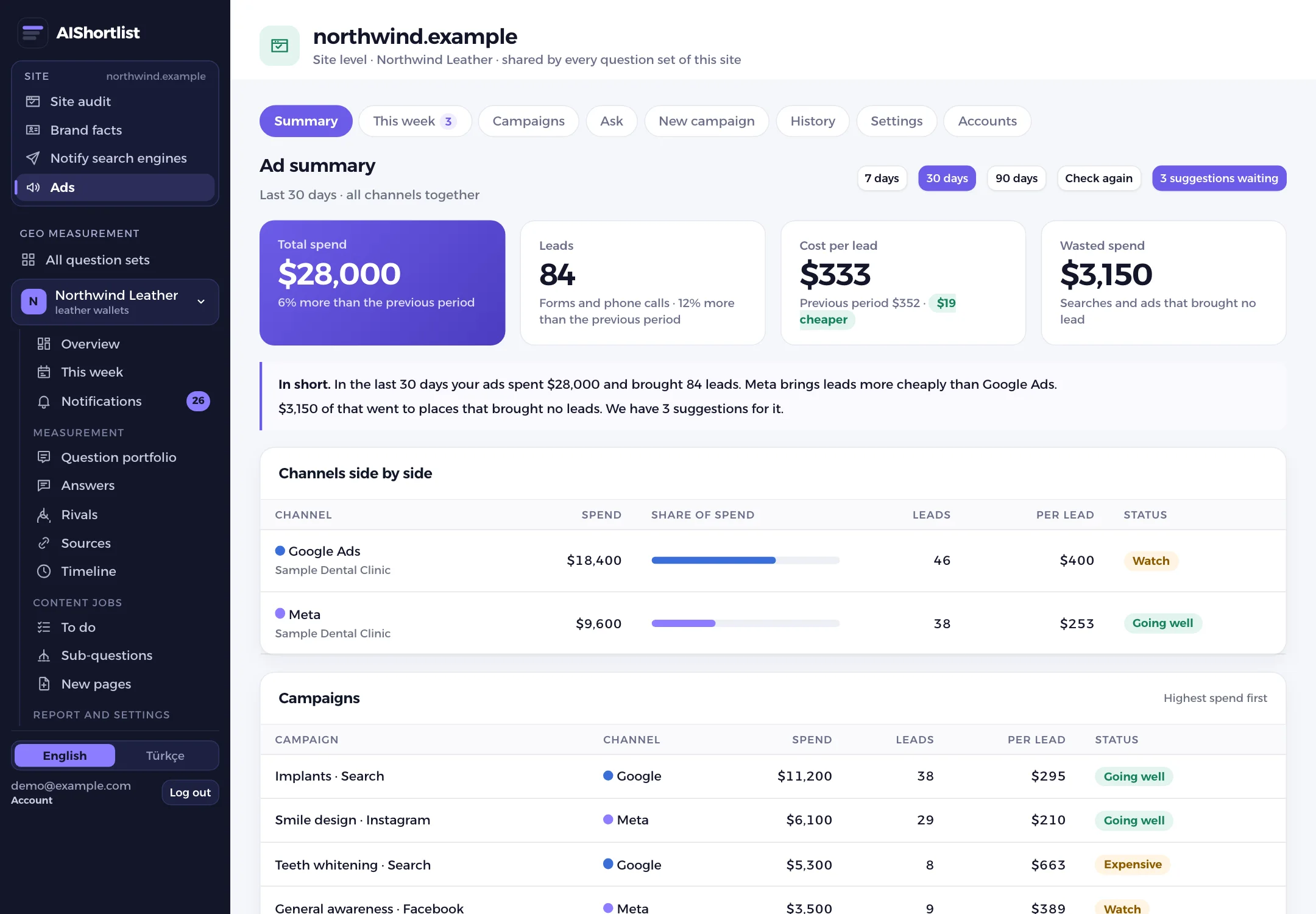
Spend in the period, leads or sales, the cost of each and the spend that brought nothing. Below it a plain two-sentence summary, the channels side by side and the campaigns.
We keep ad jargon off the screen. Service businesses see "leads" and "cost per lead"; online stores see how much in sales each unit of spend returned.
Which suggestions are made, and how are they applied?
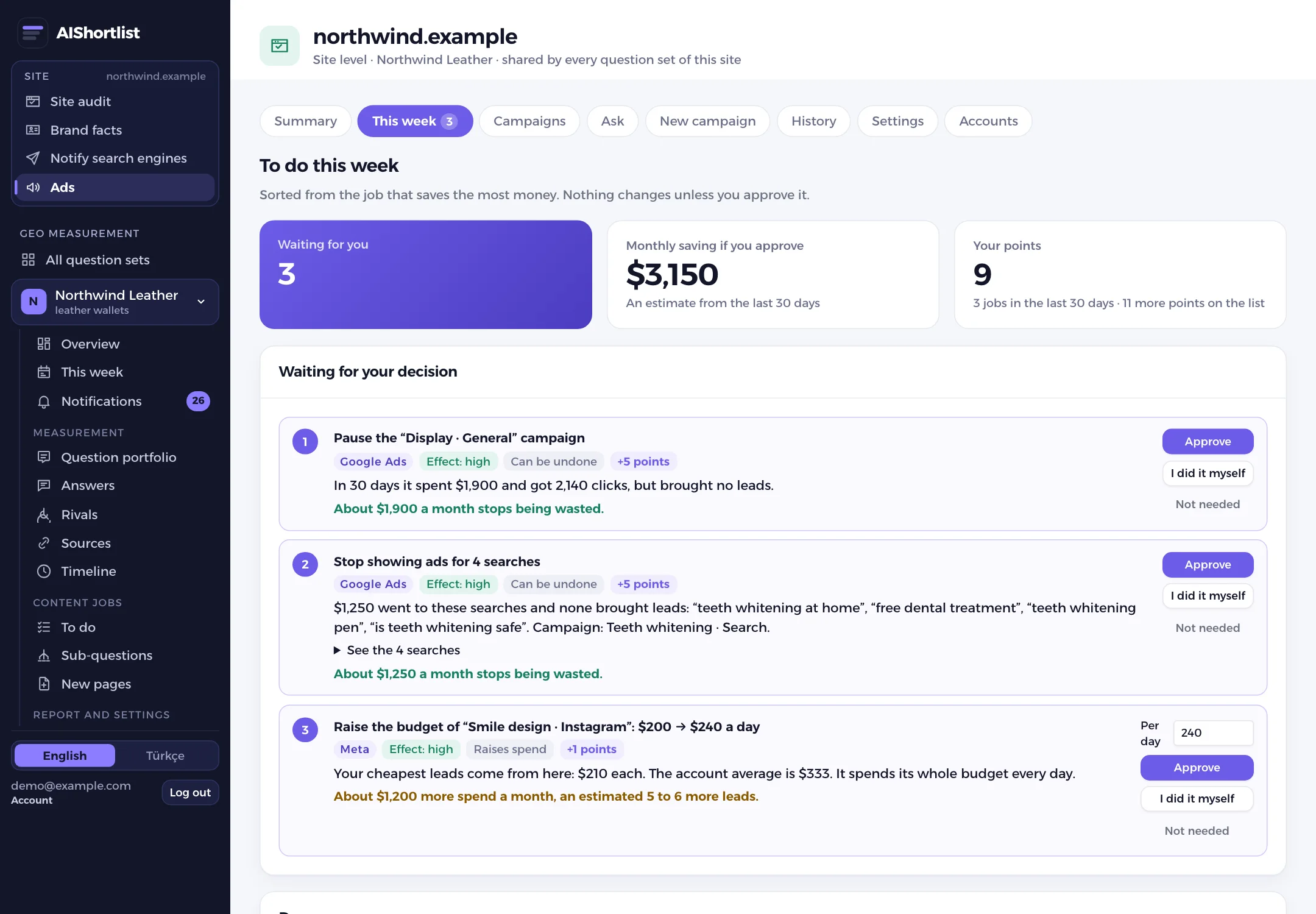
Suggestions come from clear rules based on your own account numbers. Each one shows its reason and the expected effect.
- Pause a campaign or an ad that spends a lot and brings nothing.
- Exclude expensive searches that bring nothing as negative keywords (Google).
- Add a search that works as a keyword (Google).
- Lower the bid of a keyword that stays expensive (Google, campaigns with manual bids).
- Raise the budget of an efficient campaign that runs out, lower it on an expensive one.
- Advice to move budget when one channel is clearly more expensive than the other.
A job you approve is validated on the platform first, then applied. Who approved it and what changed stays in the history. Pauses, budget and bid changes can be undone from the dashboard. A budget or bid can rise by at most 50% in one change.
If tracking is missing, there is one recommendation: set up tracking first. Budget advice without counted leads or sales would mislead you. A newly launched campaign gets no suggestion until data has built up.
Can you see below the campaign?
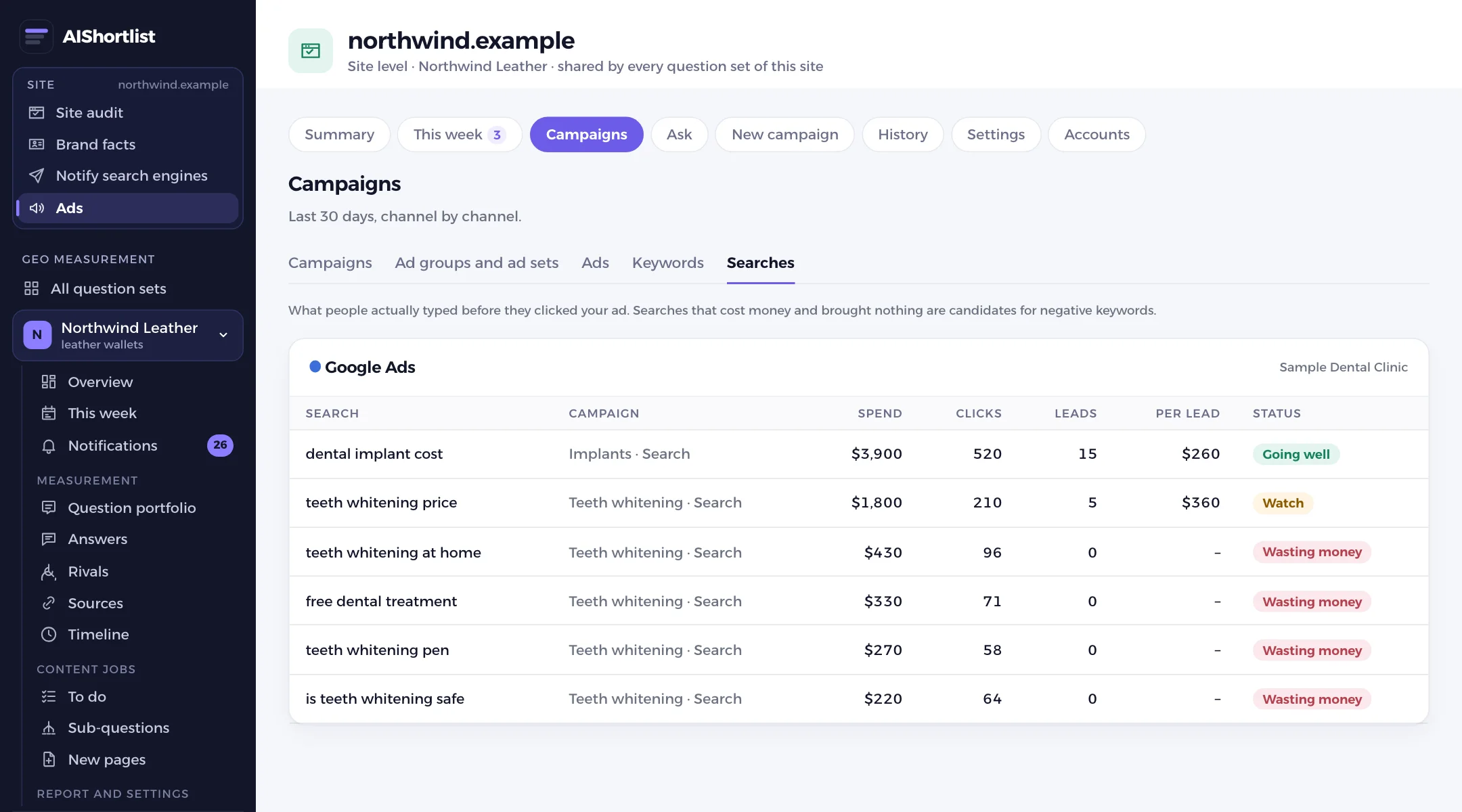
Campaigns goes one level down: ad groups and ad sets, ads, keywords and the searches people actually typed. Every row carries the same label as the campaigns: going well, watch, expensive or wasting money.
If the page an ad sends people to does not open, or opens slowly, in your site audit, a warning shows next to the ad. That link is possible because the ads and the site audit are in the same dashboard.
Can you ask questions about your ads?
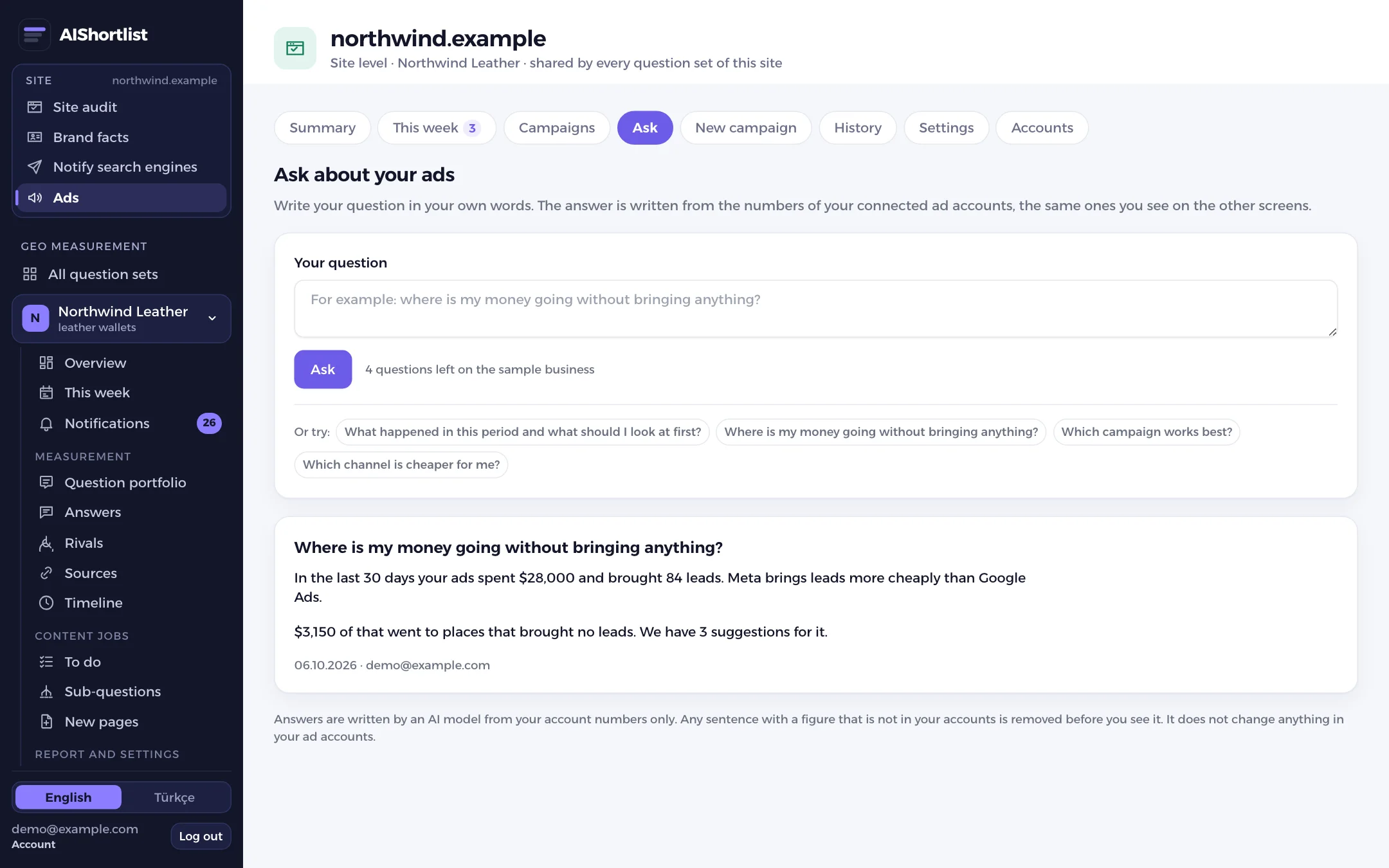
On Ask you type your question in your own words: "Where is my money going without bringing anything?", "Which channel is cheaper for me?". The answer is written by an AI model, but only from the account numbers you see on the screens.
A sentence with a figure that is not in your account, with ad jargon or with a promise such as "guaranteed to rise" is removed before you see it. Asking never changes anything in your ad account.
How do you start a new campaign?
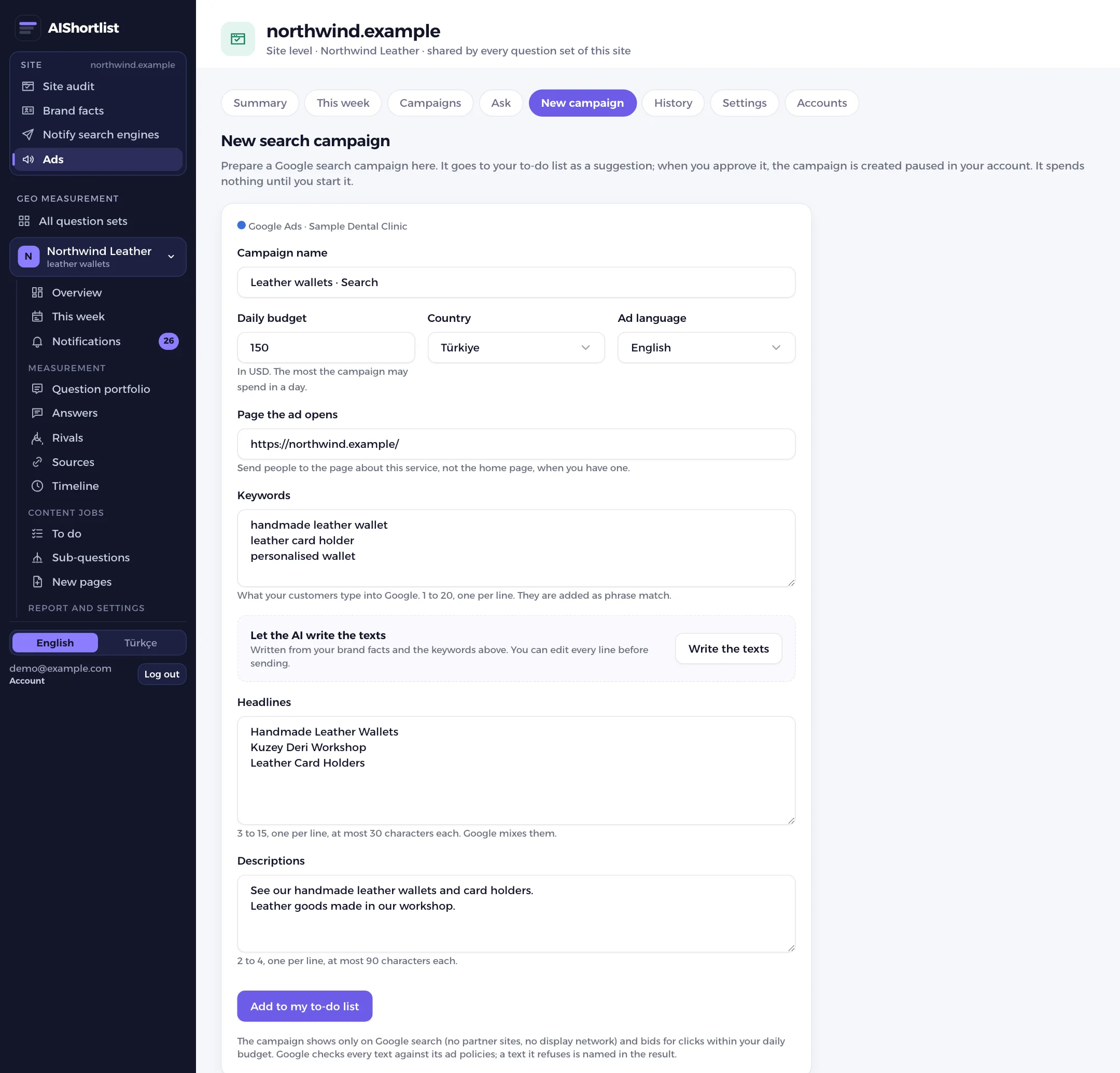
On New campaign you prepare a Google search campaign: name, daily budget, the page the ad opens and the keywords. If you like, an AI writes the headlines and descriptions from your brand facts; you can edit every line.
The draft lands on your list as a suggestion. When you approve it, the campaign is created paused in your account. Starting it is a separate approval; until then it spends nothing.
- It shows on Google search only; partner sites and the display network are off.
- A text line over the length limit, with an invented figure or an unprovable superlative is dropped.
- A text refused by Google's ad policy is named in the result.
How do you connect an ad account?
- Google Ads: you enter your account number in the dashboard, we send an access request from our manager account and you approve it inside Google Ads.
- Meta: you share your ad account with us from your business settings.
- Our team completes the connection. We never ask for your password; you can remove access from your own account at any time.
How do you hear about new suggestions?
When the weekly check finds new suggestions we can send a Slack message; paste your own Slack webhook address in the settings. The weekly report email also carries your ads summary.
What is not included?
- Any change without your approval.
- New campaigns on Meta; ad image and video generation.
- TikTok and LinkedIn ads.
- One-click connection with your own Google or Meta sign-in: today our team makes the connection.
- No guarantee of more sales or leads.
Price and trial
The Ads section is an add-on: $29 a month per site. It covers one Google Ads and one Meta ad account, weekly suggestions, changes applied when you approve, the levels below the campaign, new campaigns and 100 questions per 30 days. It can be added to any AIShortlist plan, including the free trial.
Every account can tour a sample business in the Ads section and ask five questions. To turn the add-on on and connect your account, contact us.